
ow to Run Google Ads With Only $100/Month
Most small business owners assume Google Ads requires hundreds or even thousands of dollars every month. The truth is different. Many local businesses start with just $100 per month and still generate leads, calls, and sales when their campaigns are set up correctly. If you’re wondering how to run Google Ads on a tight budget, the answer is simple: focus on highly targeted keywords, limit wasted clicks, and track every dollar you spend.
A $100 budget won’t make you dominate your market overnight. However, it can help you test what works, find profitable keywords, and bring in your first customers. In my experience working with small businesses, the biggest problem isn’t a small budget-it’s spending that budget on the wrong audience.
What Is Google Ads and Why Does It Work?
Google Ads is Google’s advertising platform that allows businesses to appear when people search for products or services online. Every day, Google processes billions of searches, which means your potential customers are already looking for solutions.
The reason Google Ads works so well is intent. Unlike social media users who are scrolling for entertainment, Google users are actively searching for something. If someone types “emergency plumber near me” or “best accountant in London,” they’re often ready to take action.
Simply put, Google Ads is a pay-per-click advertising system where businesses pay only when someone clicks their ad – which means you can control spending while reaching people who already want what you sell.
A local landscaping company spending just $3 per day may receive fewer clicks than a large competitor, but those clicks can still turn into paying customers when the targeting is precise.
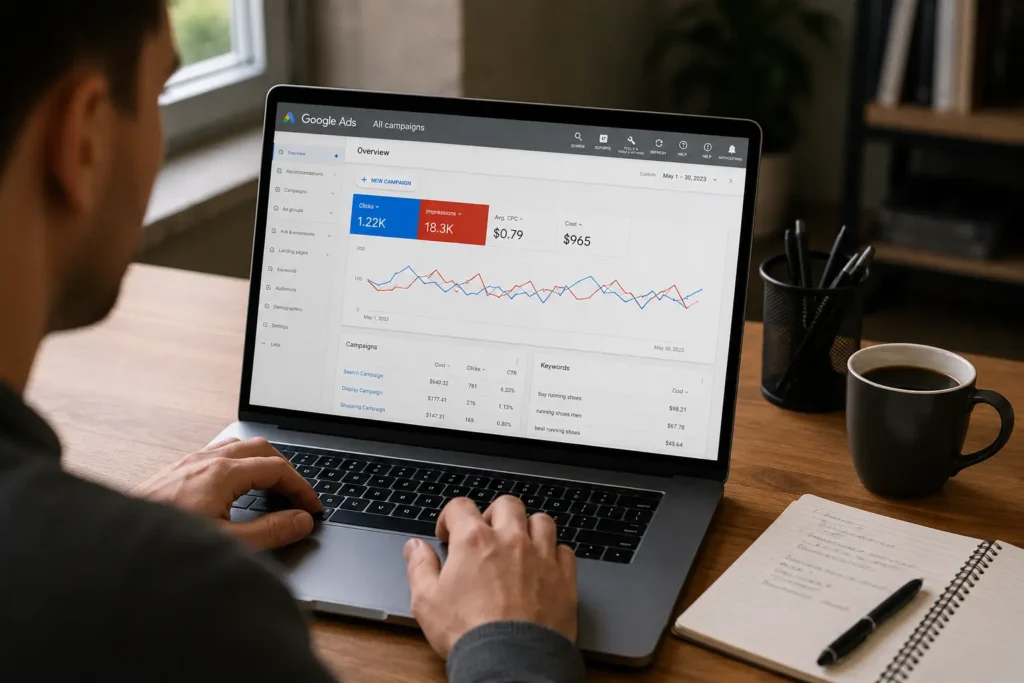
How to Run Google Ads With a Small Budget
Running Google Ads on $100 per month requires discipline. Every click matters.
Choose High-Intent Keywords – Focus on search terms that indicate buying intent. Keywords such as “hire,” “buy,” “service,” or “near me” often convert better than broad informational searches.
Target One Geographic Area – If you serve a local market, limit your ads to specific cities, ZIP codes, or regions. A small budget spreads too thin when targeting an entire country.
Use Exact and Phrase Match Keywords – These match types help reduce irrelevant clicks. Instead of showing for hundreds of unrelated searches, your ads appear for more relevant queries.
Send Traffic to One Strong Landing Page – A dedicated page often converts better than a homepage. Make it easy for visitors to call, book, or buy without distractions.
Track Conversions From Day One – Install conversion tracking so you know which keywords generate leads. Even a campaign with only 50 monthly clicks can provide useful data.
According to Google estimates, many local service businesses can generate qualified leads with daily budgets between $3 and $10 when campaigns are tightly focused.
How to Run Google Ads Step by Step
If you’re a beginner, follow this simple process.
1. Create a Google Ads Account
Visit Google Ads and create a new account. Choose your business goal, such as leads, website traffic, or phone calls.
2. Set Your Monthly Budget
A $100 monthly budget equals roughly $3.30 per day. Stick to this limit while testing your campaign.
3. Select a Small Keyword List
Start with 10-20 highly relevant keywords. Avoid broad terms that attract people who are not ready to buy.
4. Write Simple Ads
Your ad should clearly explain what you offer and include a call-to-action. For example – Book a Free Consultation Today or Get a Same-Day Quote.
5. Monitor Results Weekly
Review keyword performance every week. Pause expensive keywords that don’t generate conversions.
For example, if you run a small bakery in Manchester, targeting “custom birthday cakes Manchester” may produce better results than simply targeting “cakes.” The first search shows stronger buying intent.
Many beginners see better results after 30 days because they have enough data to identify winning keywords and remove waste.
Common Mistakes to Avoid
One common mistake is targeting too many keywords. A $100 budget cannot effectively support 100 different search terms. Focus on a small group of highly relevant keywords instead.
Another problem is sending traffic to a generic homepage. Visitors often leave because they cannot quickly find the information they need. A dedicated landing page usually performs better.
Many advertisers also ignore negative keywords. This causes ads to appear for unrelated searches and wastes money. Add negative keywords regularly to improve campaign efficiency.
Finally, don’t make changes every day. Google needs time to gather data. Give campaigns at least one to two weeks before making major adjustments.
Expert Tips for Better Results
- Schedule ads during business hours if phone calls are your main goal. This helps prevent spending money when nobody can answer inquiries.
- Use call extensions whenever possible. Mobile users can contact you directly from the search results page, reducing friction.
- Review search term reports every week. You will often discover irrelevant searches that can be blocked with negative keywords.
- Test two versions of every ad. Even small headline changes can improve click-through rates by 10% or more.
- Focus on conversion rate instead of click volume. Ten qualified clicks are usually more valuable than fifty random visitors.
Does Google Ads Still Work in 2026?
Yes, Google Ads still works in 2026 because people continue using search engines to find products and services. Businesses that focus on intent-based keywords often see stronger results than those chasing large amounts of traffic.
Competition has increased, which means smart targeting matters more than ever. A small business with a focused campaign can still compete effectively against larger advertisers in local markets.
Success depends less on budget size and more on relevance, keyword selection, landing page quality, and conversion tracking.
FAQs
Q: Can I run Google Ads with only $100 per month?
A: Yes. Many local businesses start with around $3 per day and generate leads through focused targeting.
Q: How many clicks can $100 buy on Google Ads?
A: It depends on your industry and keyword costs. Some businesses may receive 30-100 clicks per month.
Q: What is the best campaign type for beginners?
A: Search campaigns are usually the easiest starting point because they target users actively searching for solutions.
Q: How long should I test a Google Ads campaign?
A: Most campaigns need at least 30 days to collect enough data for meaningful optimization.
Q: Should I use broad match keywords?
A: Beginners should generally focus on phrase match and exact match keywords to reduce wasted spending.
Q: Do I need a website to run Google Ads?
A: Yes, in most cases. A dedicated landing page can improve conversion rates significantly.
Q: How often should I check my campaign?
A: Reviewing performance once or twice per week is usually enough for small-budget campaigns.
Q: What is the biggest mistake beginners make?
A: Targeting too many keywords at once often spreads the budget too thin and reduces results.
A small budget should never stop you from advertising online. Learning how to run Google Ads effectively is more important than spending large amounts of money. Start with a focused campaign, target a specific audience, and measure every result. Over time, you’ll discover which keywords and ads produce the best return. Begin with one campaign this week, keep your targeting tight, and let the data guide your next move.